ESIM and Wi-Fi in Fukuoka
Most visitors to Fukuoka arrive connected before they clear the airport, and the choice between an eSIM and a rented pocket router shapes the whole trip: who pays, who shares, and what happens when the battery runs low.
Short answer
An eSIM suits solo travellers and short stays: you buy it before you fly and it activates on landing. A pocket router suits groups, because one device shares connection for several phones. Fukuoka itself is well covered, and the ¥260 subway fare from the airport into the city makes getting online and getting moving easy on the same ride.
Fukuoka is one of the easiest cities in Japan to arrive in switched on. The airport sits unusually close to the centre, the subway fare into Hakata is a verified ¥260, and by the time you have reached your hotel you have usually crossed the entire distance a visitor needs to cross in a day. That convenience raises the stakes on a decision most travellers make in the week before departure: an eSIM installed on your own phone, or a pocket Wi-Fi router carried in a bag. This guide compares the two honestly, without pretending there is one right answer, because the best choice depends on how many people are travelling, how long you are staying, and how much of Kyushu you plan to explore beyond the city limits. The site's own Fukuoka Japan Travel Guide covers where to sleep, eat and wander; this page handles the quieter question of how you stay online while doing it.
Do You Need an ESIM or Wi-Fi Router in Fukuoka?
Yes, almost certainly one of the two, because free public Wi-Fi in Fukuoka is patchy enough that relying on it will frustrate you sooner or later. An eSIM is a data plan installed digitally on a compatible phone, bought before departure and activated when you land. A pocket router is a small rented device that creates a Wi-Fi hotspot for several phones at once. Solo travellers and anyone with a modern handset lean eSIM; families and groups lean router. Either way, you will want data for maps, translation and train times, because the city rewards wandering and punishes guesswork.
The honest starting point is that Japan's free public Wi-Fi has improved but remains unreliable for navigation. Cafe chains, convenience stores and stations offer hotspots, yet the sign-up flows are often fiddly, the speeds modest, and the coverage indoors inconsistent. A traveller who plans to look up a yatai's location at 9 p.m. in Nakasu, or check a typhoon advisory from a hotel lobby, will want their own connection rather than hunting for a network each time. The city's roughly 100 licensed yatai stalls are scattered across Nakasu, Tenjin and Nagahama, and finding the one you want at night is exactly the kind of task a data connection solves in seconds.
There is a third option worth naming so it can be dismissed or embraced deliberately: international roaming from your home carrier. For a short business trip it can be the least friction, but for a week or more of heavy map use it is usually the most expensive of the three, and the control it offers over which network you attach to is minimal. Some travellers also keep their home SIM active purely for SMS verification codes from their bank, and run data on an eSIM alongside it, which is a genuinely sensible hybrid worth planning before you fly.
How Do ESIMs and Pocket Routers Compare?
An eSIM is the better choice for solo travellers and couples who want simplicity, while a pocket router suits groups of three or more who need to share one connection across multiple devices. The eSIM lives inside your phone, requires no extra hardware or charging, and can be purchased online before departure; a pocket router is a separate unit with its own battery and charger that connects several phones, tablets and laptops at once.
The practical trade-offs sit in a handful of categories, and the table below lays them out without pretending any single row decides the matter.
| Factor | eSIM | Pocket Wi-Fi router |
|---|---|---|
| Setup | Installed before departure, activates on landing | Collected at airport counter or delivered to hotel |
| Devices served | The one phone it is installed on | Typically several phones, tablets and laptops |
| Battery impact | None beyond normal phone use | Separate battery, needs daily charging |
| Best for | Solo travellers, couples, short stays | Families, groups, longer stays |
| Physical logistics | Nothing to carry or return | Device plus charger to carry and return |
| Keeping home number active | Straightforward, dual-SIM | Straightforward, phone untouched |
Battery deserves a special word because it is the most underestimated difference. A router typically runs for a full day of moderate use but needs overnight charging, and a forgotten cable on a day trip to Dazaifu means a silent hotspot by evening. An eSIM shifts the burden onto your phone's own battery, which cuts both ways: no second device to charge, but heavy map navigation will drain any handset regardless of where its data comes from. Travellers who photograph all day and navigate all evening should carry a power bank under either option.
The sharing question is where the router earns its keep. One router serving four people usually costs less per person than four separate eSIM plans, and it keeps a group coordinated when plans change mid-afternoon. The counterweight is the single point of failure: if the router is left in a taxi or drops into a canal boat in Yanagawa, the whole group is offline. Some groups solve this by giving one member an eSIM as a backup, which is more belt than braces but cheap insurance on a long trip.
Whichever route you take, the connectivity decision is worth making before you build the rest of the plan. A data connection changes how spontaneously you can use a resource like the Fukuoka itinerary planner, how confidently you can reroute a day around rain, and how easily you can pull up opening information for a museum or garden on the spot. Treat it as infrastructure, not an accessory.
Where Can You Buy an ESIM or Router in Fukuoka?
You buy an eSIM online before departure and install it at home, while a router is either collected at a Fukuoka Airport counter or delivered to your city hotel; the airport, on the subway's Kuko line with a verified ¥260 fare into Hakata, is the most convenient pickup point, and remember the city's main station is Hakata, not a nonexistent JR Fukuoka Station.
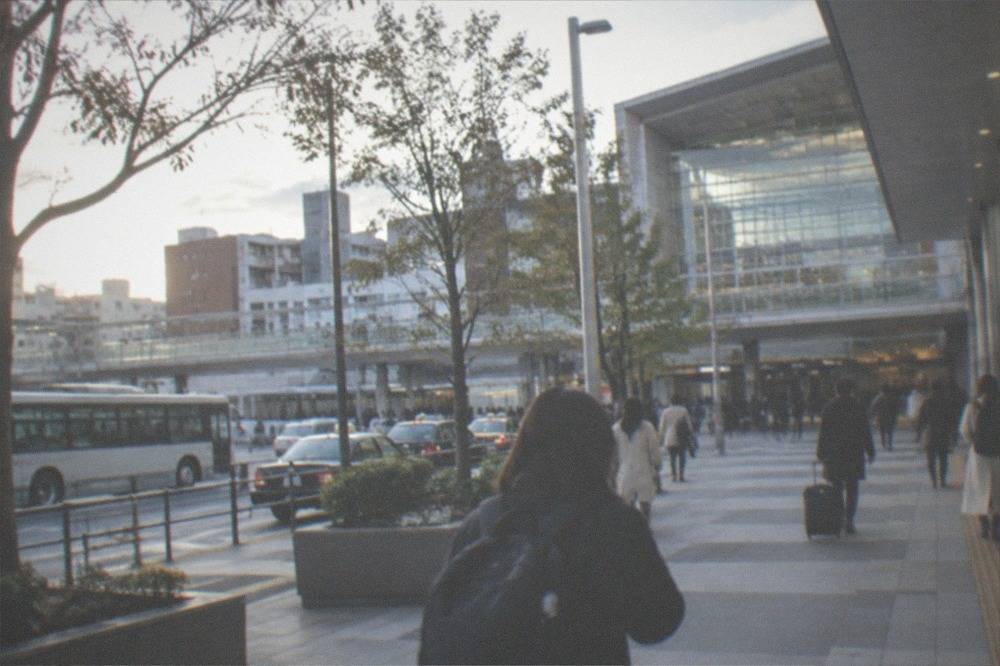
For eSIMs, the entire transaction happens before you leave home. You buy a plan online, receive a QR code by email, and install it on your phone while still on your own sofa with your own Wi-Fi. The plan then activates when your phone first sees a Japanese network. This is the option that removes every airport queue from the process, and for a late-evening arrival it is the difference between walking out connected and standing at a counter with jet lag. The main caveat is handset compatibility: most phones released in recent years support eSIMs, but older models do not, so check your settings before buying rather than at the gate.
For routers, the counter model still works well in Fukuoka. Rental companies operate desks at the airport, and most also deliver to hotels across the city, from Hakata Station's surrounds to the best areas to stay in Fukuoka. Return is the part to plan: airport counters accept devices back on departure day, and some services offer mailbox returns, but a router left in a hotel drawer is a charge you will hear about later. Read the return instructions when you collect the device, not on your last morning.
There is also a local fallback worth knowing about: physical SIM cards sold at electronics stores and carrier shops in Tenjin and around Hakata Station. They suit travellers who arrive with no plan at all, though the selection and the explanation quality vary, and the prices are rarely better than a pre-purchased eSIM. If you arrive unconnected and need data that afternoon, this is the route; if you are reading this before departure, it is the route you are avoiding.
One more arrival decision sits alongside connectivity: how you actually reach the city. The subway is the standard answer, and the details are covered in the Fukuoka Airport to city guide, while the Fukuoka Airport overview covers terminals and facilities. Travellers with heavy luggage, small children or very late arrivals sometimes prefer a door-to-door option instead.
A private arrival transfer from Fukuoka Airport into the city removes the platform changes and the luggage wrestling entirely, which pairs neatly with a router pickup if you have scheduled a counter collection for the same hour. It is a small luxury that pays for itself on the first night of a family trip.
How Good Is Mobile Coverage Across Fukuoka and Kyushu?
Fukuoka city is densely and reliably covered, with the usual weak spots deep inside large buildings and on subway platforms, while rural Kyushu has genuine dead zones in the mountains and along remote coastlines. Tenjin, Hakata, Nakasu and Daimyo behave like any major Japanese business district: fast data everywhere at street level. The exceptions are indoor basements, underground malls and the deepest levels of stations, where signals fade the way they do in any concrete-heavy city. Beyond the city, coverage varies sharply by terrain rather than by distance.
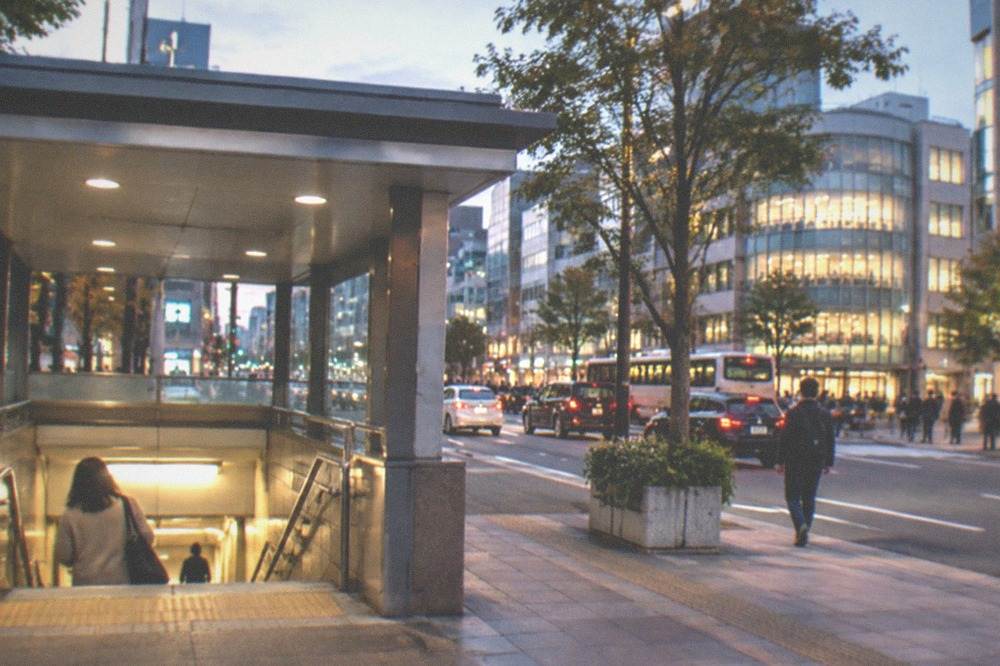
Underground, the Tenjin underground mall is a coverage test worth mentioning because it is a real navigation challenge even with data: a warren of passages where a map on your phone beats signage every time. The subway tunnels themselves carry service in most sections, so a maps check mid-ride usually works. Above ground, the city's compactness helps; Hakata, Tenjin and Nakasu sit within a short ride of each other, and you are rarely more than a few minutes from a strong signal.
Out beyond the city the picture changes by terrain. Dazaifu, Yanagawa and Itoshima are well served. The mountain interiors, the Aso caldera region and stretches of the northern coast drop in and out, which is why offline maps remain worth downloading even on a fully connected trip. A day tour into the interior of Kyushu will pass through tunnels and valleys where no carrier performs well, and a guide with a plan beats a phone with a spinner.
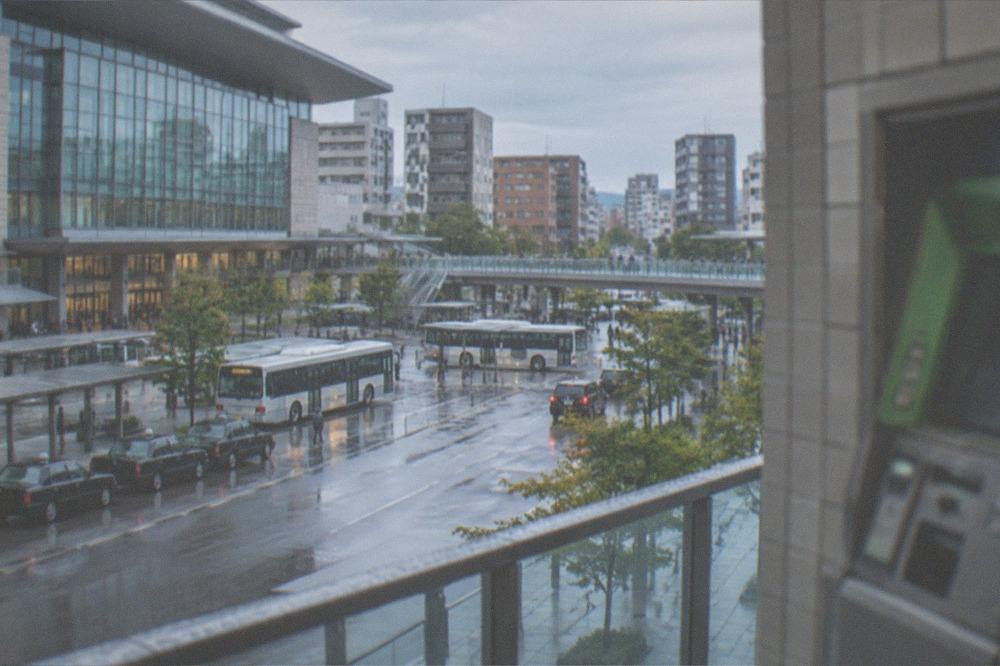
Weather is the other coverage factor, and Fukuoka has a specific one. Typhoon season runs roughly July through October, and a big system in the western Pacific can disrupt both networks and travel plans, a topic covered properly in the typhoon season guide. A data connection is precisely what you want when a storm advisory moves: live rail status, live forecasts, and the ability to rebook a day trip in minutes. That is also why booking flexible activities matters more here than in Tokyo or Osaka, and why tours with free cancellation are worth prioritising for storm-season dates.
If a connected coastal day out is on your list, the Nokonoshima Island Park and Wagyu BBQ tour is one to reserve while you still have signal and time, since island-and-feast combinations fill first on fine weekends and it carries free cancellation.
What Does Connectivity Cost on a Fukuoka Trip?
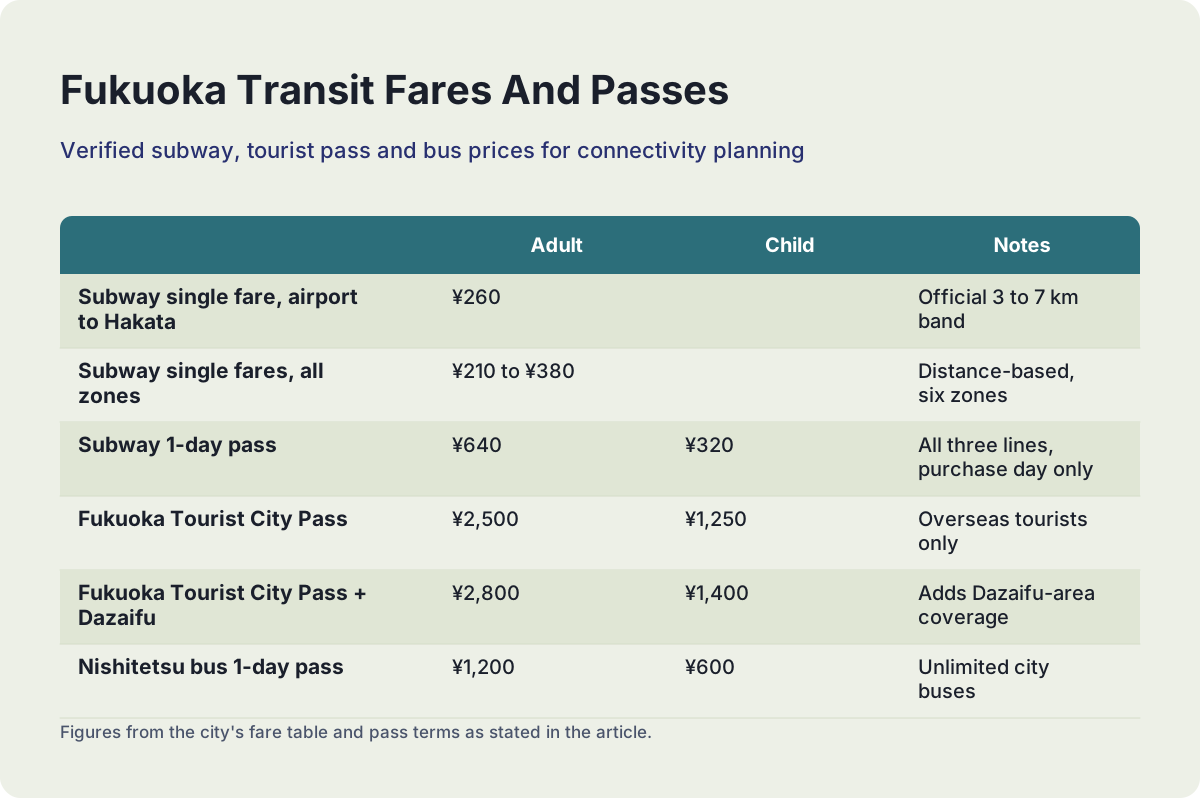
Connectivity on a Fukuoka trip costs little on its own, usually a week of data for one phone or a week of router rental for a group, but the total adds up once you count the transit fares you will keep looking up on that connection. The verified figures below, from the ¥260 airport subway fare to the ¥2,800 tourist pass with Dazaifu, show the scale of what you will be checking, and knowing them before you arrive beats discovering them at a ticket machine.
| Item | Verified figure | Notes |
|---|---|---|
| Subway single fare, airport to Hakata | ¥260 | Official 3 to 7 km band, per the city's fare table |
| Subway single fares, all zones | ¥210 to ¥380 | Distance-based, six zones |
| Subway 1-day pass | ¥640 adult, ¥320 child | All three lines, valid on purchase day |
| Fukuoka Tourist City Pass | ¥2,500 adult, ¥1,250 child | Overseas tourists only, passport checked |
| Fukuoka Tourist City Pass + Dazaifu | ¥2,800 adult, ¥1,400 child | Adds Dazaifu-area coverage |
| Nishitetsu bus 1-day pass | ¥1,200 adult, ¥600 child | Unlimited city buses |
The fare table matters to this page for one reason: it is the single most common thing a connected traveller looks up. The city's own subway fare page, published by Fukuoka City, lists every band, and the tourist pass details, including the passport requirement, are on the city's official pass page. Most competing guides still quote stale prices for that pass; the verified figures are the pair above, and the passport check is not optional.
Against that backdrop, connectivity pricing behaves in a straightforward way: eSIM plans scale with gigabytes and days, and router rentals scale with days plus a device fee. Neither is a major line item on a Japan budget, and the mistake to avoid is not overspending on data but under-buying it, then paying roaming rates in a panic on day three. A generous data allowance used freely for maps, translation and reservations is one of the cheapest conveniences a trip can buy.
How Do You Stay Connected on Day Trips from Fukuoka?
Plan for coverage gaps, not coverage absence: the major day-trip destinations around Fukuoka are well connected, but the routes between them pass through rural stretches where signal drops, so download offline maps before leaving the city. Dazaifu, Yanagawa, Itoshima and Nokonoshima are all within easy reach and all adequately served. Longer trips into Aso, Takachiho or the far coastlines of northern Kyushu involve mountain roads where patience and offline planning beat bars on a screen.
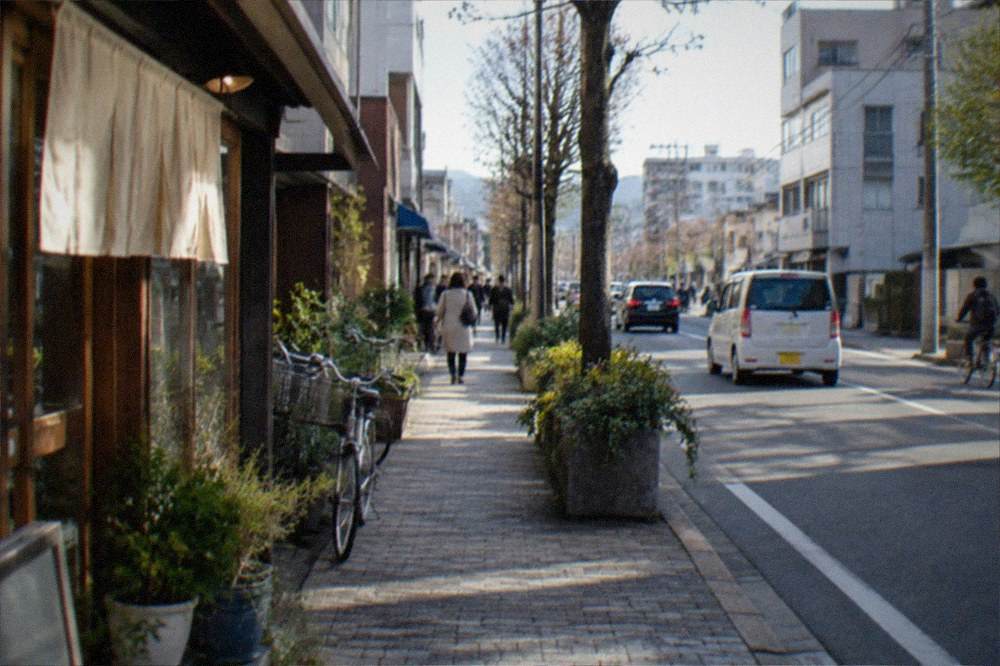
The pattern repeats across every destination in the table below, and it is the reason experienced Kyushu travellers treat a data plan as a planning tool rather than a live umbilical. Pull up what you need on hotel Wi-Fi the night before, download the maps, screenshot the return timetables, and let the connection be a bonus rather than a dependency.
| Destination | Travel style from Fukuoka | Connectivity reality |
|---|---|---|
| Dazaifu | Nishitetsu train, easy half or full day | Strong coverage in town |
| Yanagawa | Train plus canal boat | Good in town, patchier on rural approach |
| Itoshima | Bus or car, coastal | Good on main roads, weaker on back beaches |
| Nokonoshima | Ferry from Meinohama | Fine on the island, variable mid-bay |
| Yufuin and Beppu | Highway bus or JR, full day | Strong in both towns, mountain gaps between |
| Takachiho | Long day tour by road | Long rural stretches with weak signal |
| Aso region | Full day by road | Genuinely intermittent across the caldera |
Guided day tours change the calculus in an underrated way. When transport, timing and tickets are handled by an operator, your phone stops being mission-critical and becomes what it should be on holiday: a camera and a restaurant finder. That is the quiet argument for tours on a connected trip, and it applies double in the mountains, where a tour bus with a fixed plan beats a self-driven itinerary that depends on a signal the caldera will not give you. The broader Kyushu itinerary guide covers how to chain these destinations into a multi-day route, and the Kyushu overview covers the geography behind the coverage map.
The Nokonoshima Island Park and Wagyu BBQ tour is the strongest connected-day-out pick in the roster for good weather: a ferry, a flower island and a coastal barbecue in four to six hours, rated 5 from 17 reviews and bookable with free cancellation, which matters when island weather is the variable.
What Should Families and Groups Choose?
Groups of three or more should almost always take a pocket router, couples should weigh battery against simplicity, and a family with teenagers should consider the router plus one eSIM as a backup. The arithmetic is unglamorous but decisive: one router serves everyone for a single rental fee, while an eSIM serves exactly one phone and the costs multiply per person. The failure mode, a lost or dead router, is real but manageable with a single backup plan agreed before departure.
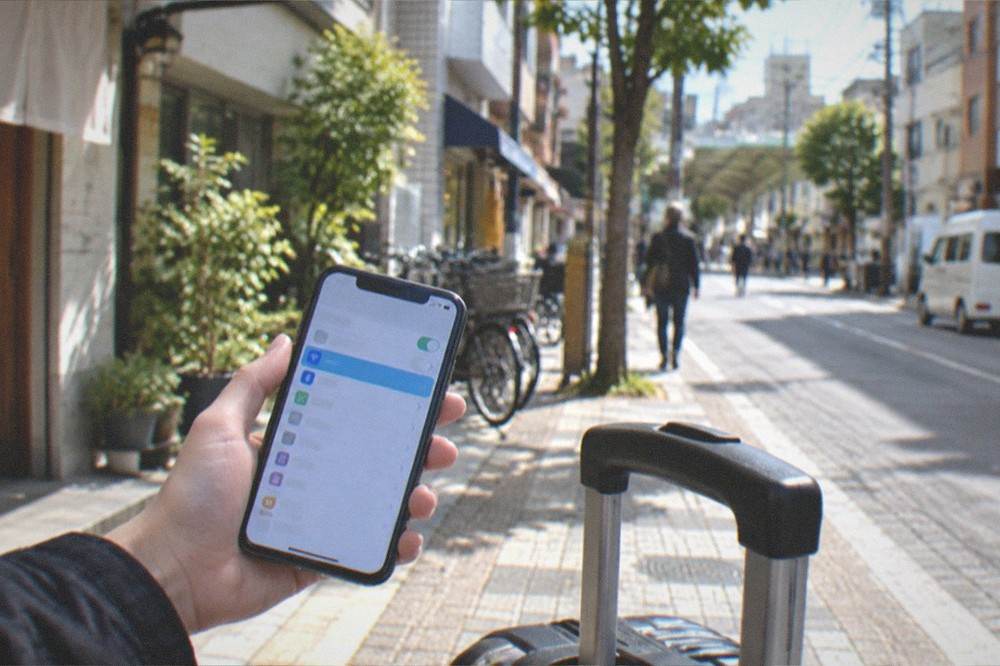
The family case has a second layer beyond cost. Kids drain batteries, and a router in a parent's bag with its own charge cycle keeps the navigation phone alive while the children's devices share the connection for games and photos. On a long day at Uminonakamichi Seaside Park or a round trip to Itoshima, that separation of power from connection is worth more than any spec sheet suggests. Remember too that Uminonakamichi's entry gate is cash only, a verified and genuinely under-advertised detail, so a card-only family should plan cash before relying on anything digital there.
Couples travelling light often land on the eSIM side for simplicity, and that is a sound choice. The one scenario that flips it is a trip built around shared planning: two people coordinating bookings, timetables and reservations all day sometimes prefer one shared connection over two people discovering they have pulled up different opening hours for the same museum. Communicate about it before departure, not in the hotel lobby.
How Do You Set Up an ESIM Before You Land?
Install the eSIM at home, on your own Wi-Fi, a day or two before departure, and let it activate automatically when your phone first meets a Japanese network on arrival. The installation is a settings task, not a shopping errand: you buy a plan, scan the code, confirm the profile is installed, and leave it switched off until you land. The classic mistake is leaving it until the airport, when you are tired, on slow terminal Wi-Fi, and standing exactly where the pickup queue is longest.
Three setup details prevent most problems. First, check compatibility before buying, in your phone's settings, because an unsupported handset cannot be fixed at the gate. Second, decide what happens to your home number: keeping it active for SMS verification while data runs on the eSIM is the standard dual-SIM arrangement, and it needs one settings toggle, not a phone call to your carrier. Third, name the access point clearly in your settings so that when you land and toggle data on, you know which line you are using and are not accidentally roaming.
On arrival day in Fukuoka the sequence is short. Clear the terminal, follow the signs to the subway, tap through with an IC card or buy a ticket, and the ¥260 ride into Hakata is usually enough time for the eSIM to finish attaching to the network. From Hakata Station the whole city is within reach, and the Hakata Station area guide covers the exits, lockers and connections. If you are arriving from elsewhere in Japan instead, the Tokyo to Fukuoka and Osaka to Fukuoka guides cover the long-haul legs, all of which are comfortable places to test a freshly activated plan.
For travellers who prefer a human to handle the logistics of a first day, a guided introduction to the city works well with any connectivity choice, since the guide carries the plan and the phone carries the photos. The half-day city essentials tour is the natural pick, rated 4.9 from 48 reviews.
One closing thought on timing. Fukuoka's seasons shape a trip as much as any app does, and the best time to visit guide is worth reading alongside the weather data, including the under-advertised fact that July, not June, is the city's wettest month in the official record. Book the connectivity, book the flexible tours, download the offline maps, and the rest of the plan tends to take care of itself.
Common Questions About Staying Connected in Fukuoka
Do You Need An ESIM Or Wi-Fi Router In Fukuoka?
You need one of the two for a smooth trip, because public Wi-Fi is too patchy to rely on for maps and translation. Choose an eSIM for solo travel or a modern phone, and a pocket router for groups of three or more who can share one connection and one fee.
Can I buy an eSIM after I arrive in Fukuoka?
Yes, but it is the harder route. Physical SIMs are sold at electronics stores and carrier shops in Tenjin and around Hakata Station, and airport counters rent routers on the spot. Installing an eSIM before departure avoids every queue and works from the moment your phone sees a Japanese network.
Is mobile coverage good outside Fukuoka city?
Coverage is strong in Dazaifu, Yanagawa, Itoshima and Nokonoshima. It becomes intermittent in the mountains of interior Kyushu, around Aso and on the road to Takachiho. Download offline maps before leaving the city so rural gaps do not strand you.
Which is cheaper for a family, eSIMs or one router?
One router is usually cheaper for three or more people, because a single rental serves every phone in the group. Multiple eSIM plans multiply the cost per person. Add one eSIM as a backup if losing the router would leave the whole family offline.
Does the subway from Fukuoka Airport have Wi-Fi?
Do not count on it. The verified fare from the airport to Hakata is ¥260, and the subway is a short, simple ride, but a data plan of your own is the reliable way to have a map and hotel address to hand when you surface at Hakata Station.
Will my eSIM work during typhoon season?
Usually yes, with local interruptions during severe storms. Typhoon season runs roughly July through October, and a strong system can disrupt networks and transport alike. A working data connection is exactly what you want for live rail status and forecasts, which is another reason to book tours with free cancellation in those months.